
What is the Marketing Messages API?
Think of MM API (Marketing Messages) as a smarter delivery system for your WhatsApp marketing messages. Instead of treating all messages the same way, it looks at whether your message is something your customer actually wants to receive and if it is, it gets delivered first. According to Meta, this results in up to 9% more of your marketing messages getting delivered compared to the standard method.
What's changed in Vira?
Vira has upgraded to use MM API for all marketing WhatsApp messages. This means:
- Any marketing message you send through Vira via Campaigns, HubSpot Workflows, or manually will now automatically go through this improved delivery system.
- Nothing changes on your end in terms of how you create or send messages. The upgrade happens in the background.
What does this mean for you?
Simply put more of your marketing messages will reach your customers. You can expect up to 9% higher delivery rates on your marketing WhatsApp messages.
Do you need to do anything?
Yes, you need to reauthorize your Vira account once to activate this. It takes about 5 minutes. Follow the steps below:
Step 1. Click on the Re-authorize Link.
Step 2. Click Authorize Now. 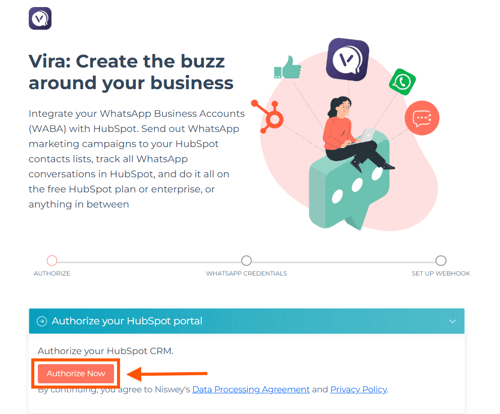
Step 3. Select your HubSpot portal from the list and click Choose Account.
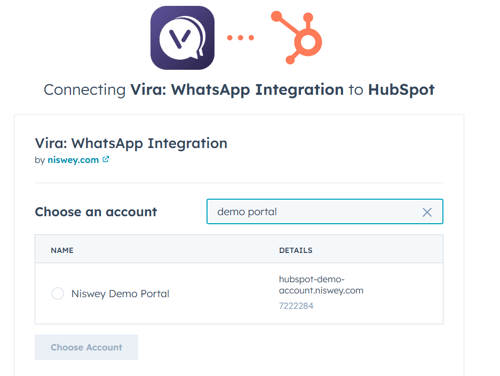
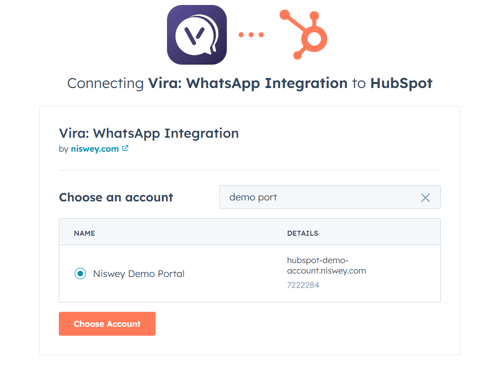
Step 4. You'll be asked, "Do you have a HubSpot property that collects consent to send WhatsApp messages?"
- Select Yes if you have one, then choose the relevant property from the dropdown. Only Single Checkbox type properties are supported.
- If you don't have one, select No.
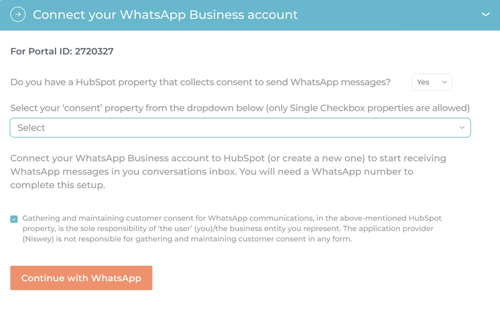
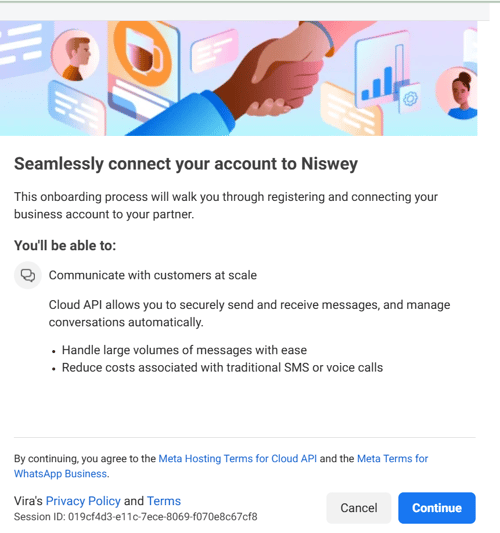
Step 6. A Meta pop-up will appear. Click Continue to log in with your Facebook/Meta account.
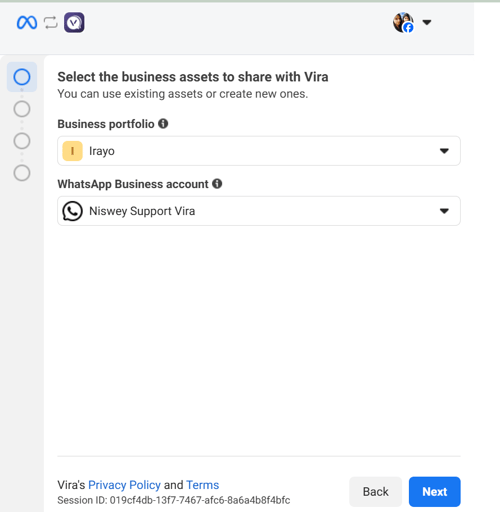
Step 7. Select your Business Portfolio and your WhatsApp Business Account from the dropdowns, then click Next.
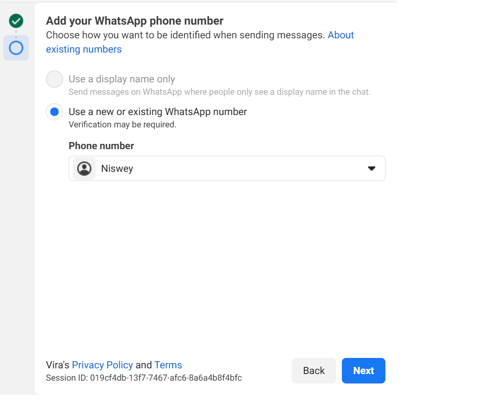
Step 8. Select "Use a new or existing WhatsApp number", choose your phone number from the dropdown, and click Next.
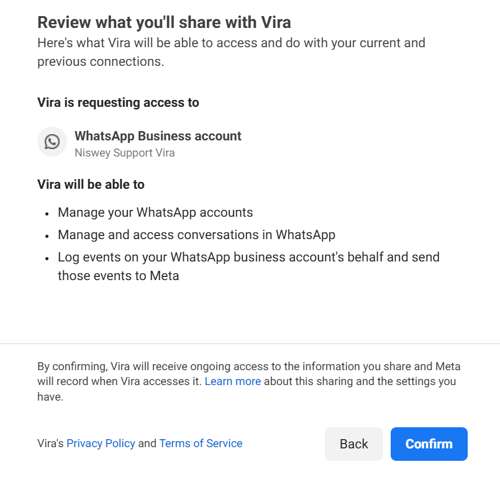
Step 9. Review the permissions on the summary screen and click Confirm.
Step 10. Click on Finish
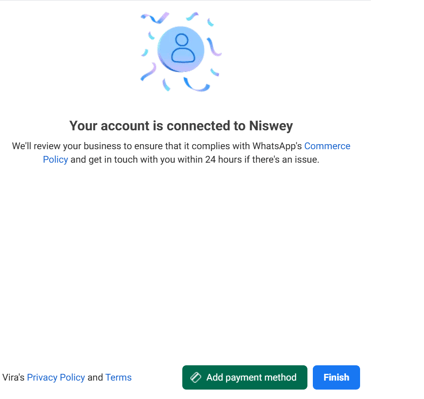
Step 11. Enter the 6-digit PIN number you already previously set up and click Register
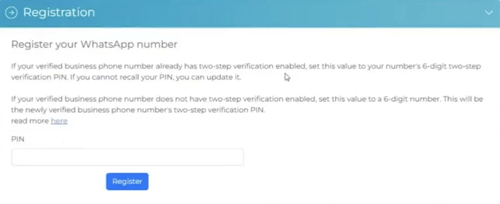
That's it, the Marketing Message API is now active on your account.
Important: If you skip reauthorization, your marketing messages will continue to send via the old method and won't benefit from the improved delivery rates.
Frequently Asked Questions
Q: Will this change my pricing?
A: No. Meta's per conversation pricing for marketing messages stays exactly the same. MM API doesn't add any new charges.
Q: Which messages are affected?
A: Only marketing category templates. Your Utility, Authentication, and Service messages are not affected; they continue to work as before.
Q: Will my existing HubSpot Workflows or Vira Campaigns break?
A: No. Everything continues to work as is. You don't need to recreate or change any Workflows or Campaigns.
Q: What if I don't reauthorize?
A: Your messages will keep sending via the old method. You'll miss out on the better delivery rates until you complete reauthorization.
Q: I'm a new Vira customer, do I need to do this?
A: No. MM API is switched on by default for all new accounts. You're already set up.
Q: What does "quality based delivery" actually mean?
A: It means Meta's system looks at whether your message is something the recipient is likely to want, is it relevant to them, is it timely, were they expecting it? Messages that meet this bar get prioritised for delivery. That's how MM API achieves up to 9% better delivery rates.
Q: Will every single message get 9% better delivery?
A: The up to 9% figure is Meta's overall benchmark. Your actual improvement depends on how relevant and engaging your messages are to your audience. The better your content and targeting, the more you'll benefit.
Get Started with Vira now!
Having troubles? File a Support Ticket or Book a call!