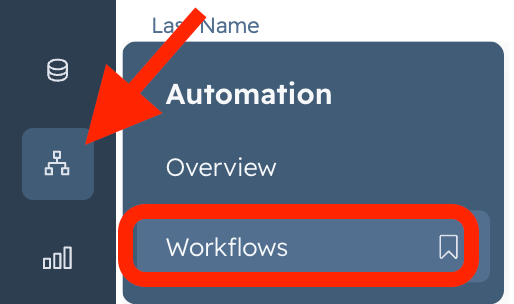
- Go to HubSpot> Automations>Workflow
2. Click on Create Workflow> From Scratch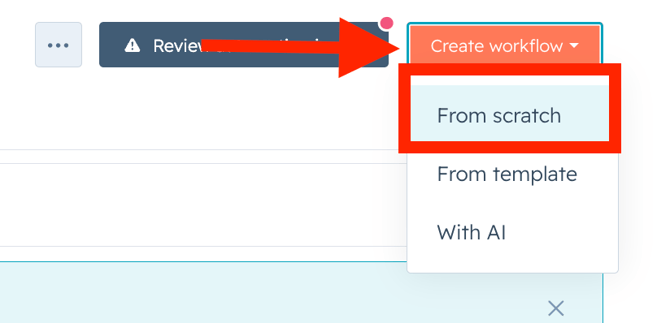
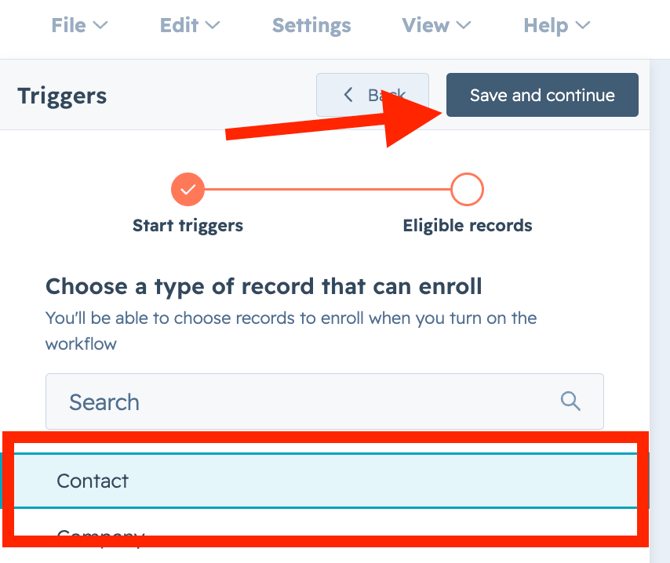
3. Click on Trigger Manually> Contact> Save and Continue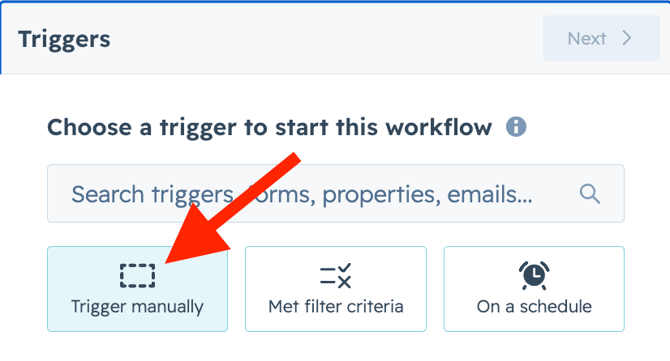
4. Click on Group 1 Manually trigger only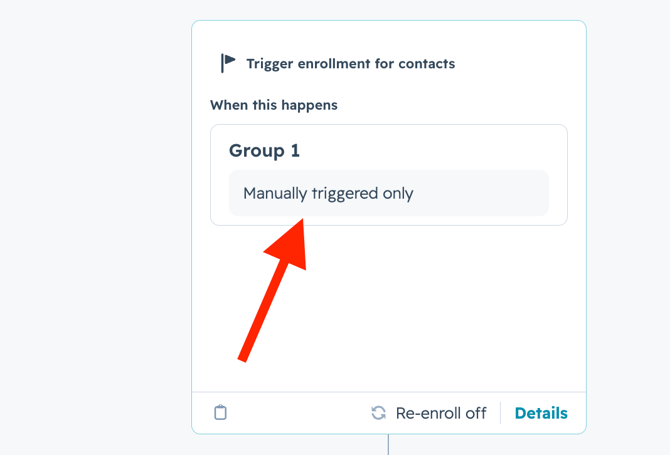
5. Click on When Filter criteria is met> Save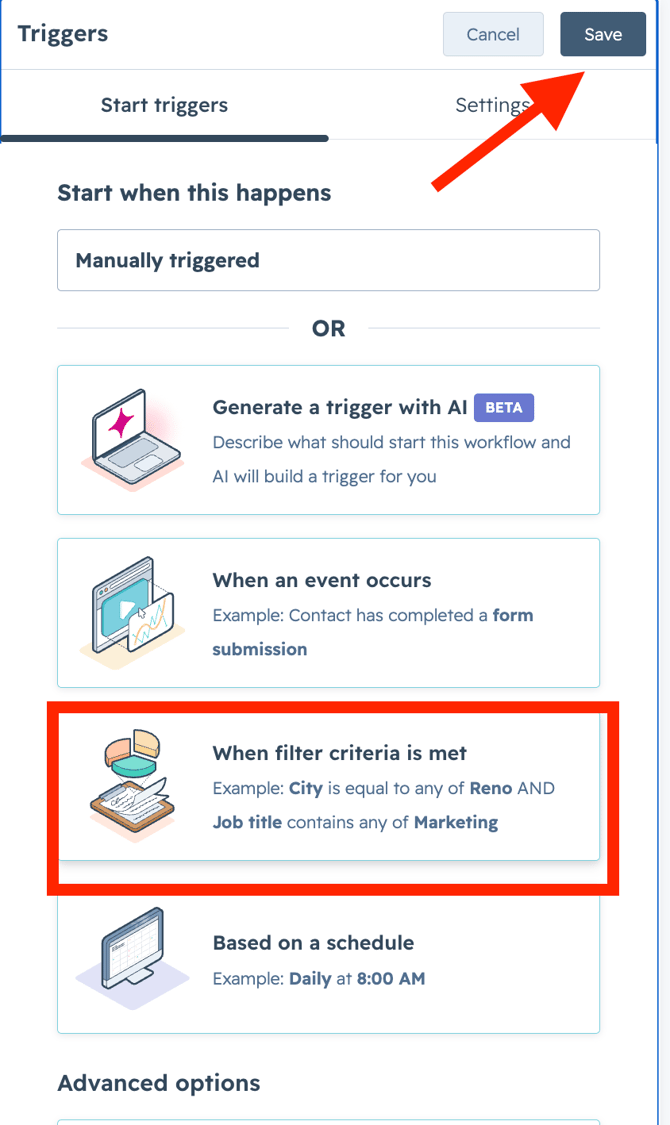
6. Click on search filter Category> Vira:WhatsApp Integration.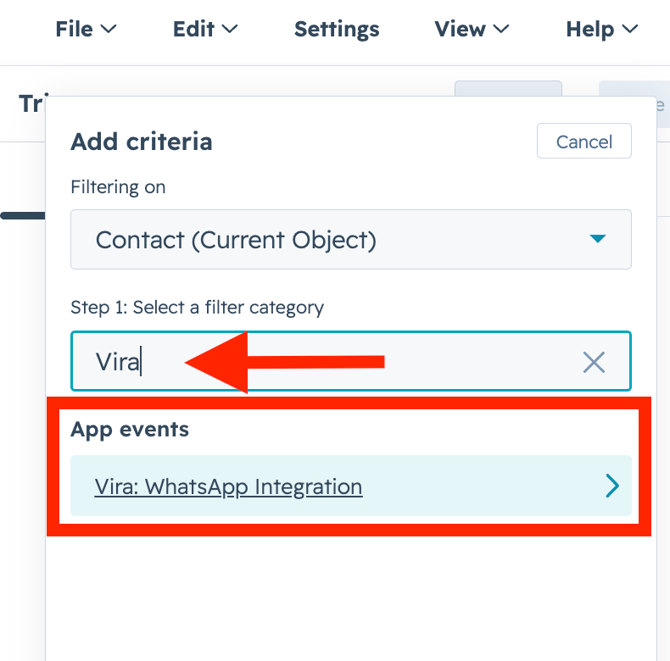
7. Click on Message received.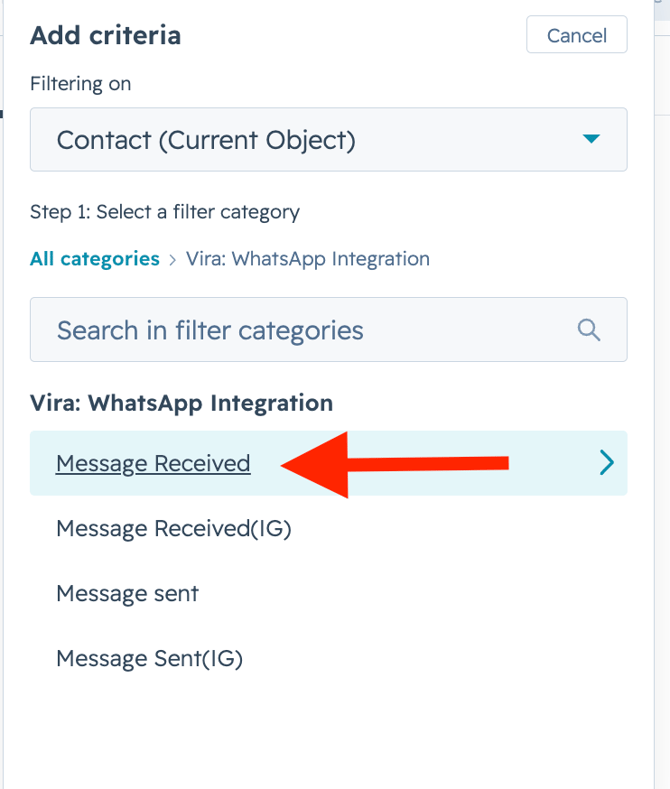
8. Message received has been completed any number of times> Save
9. Click on +Icon > Communication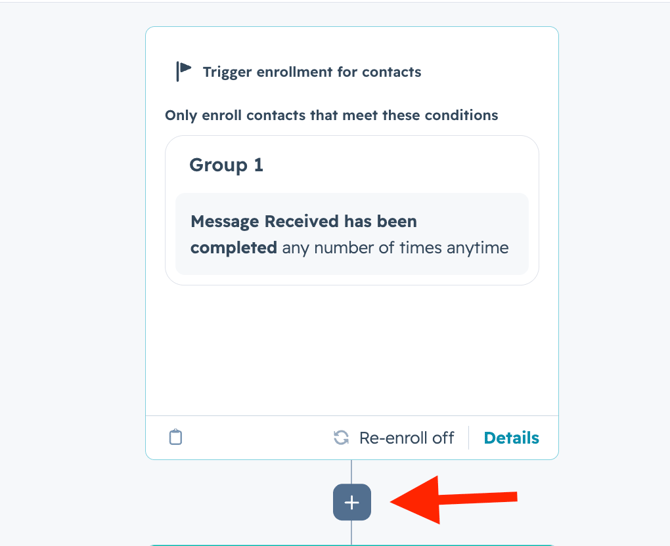
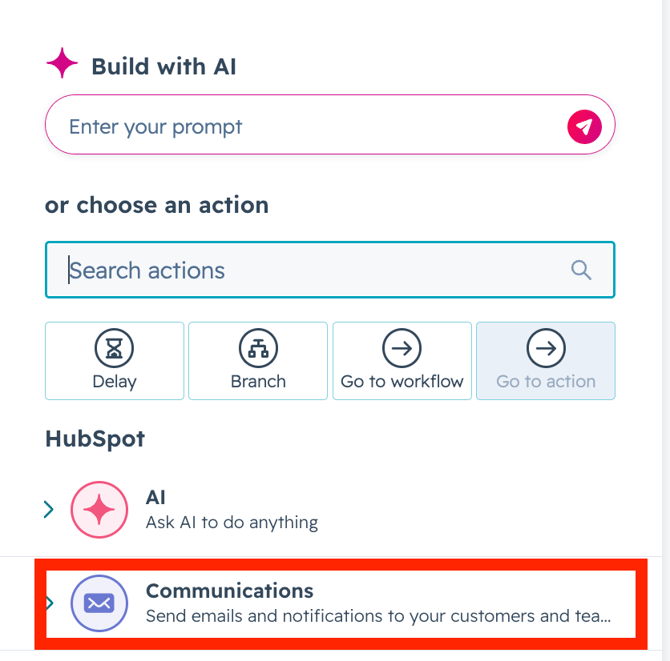
10. Click on Send Internal email notification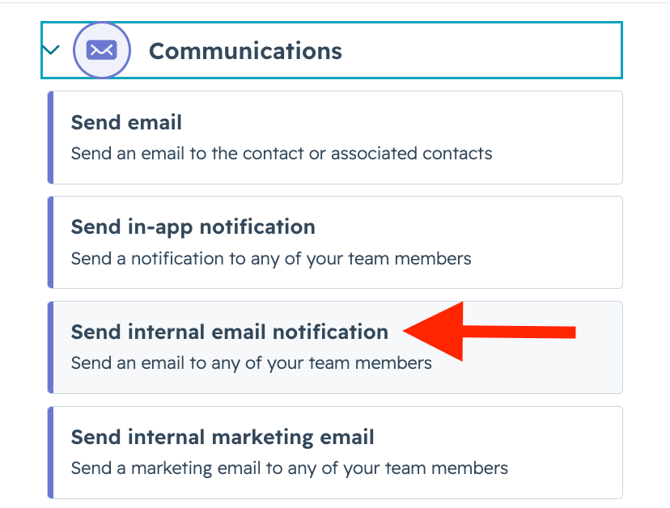
11. Select Send to Users> Send to Teams> Send to existing owners as per your use case. Then enter subject and email body > Click on Save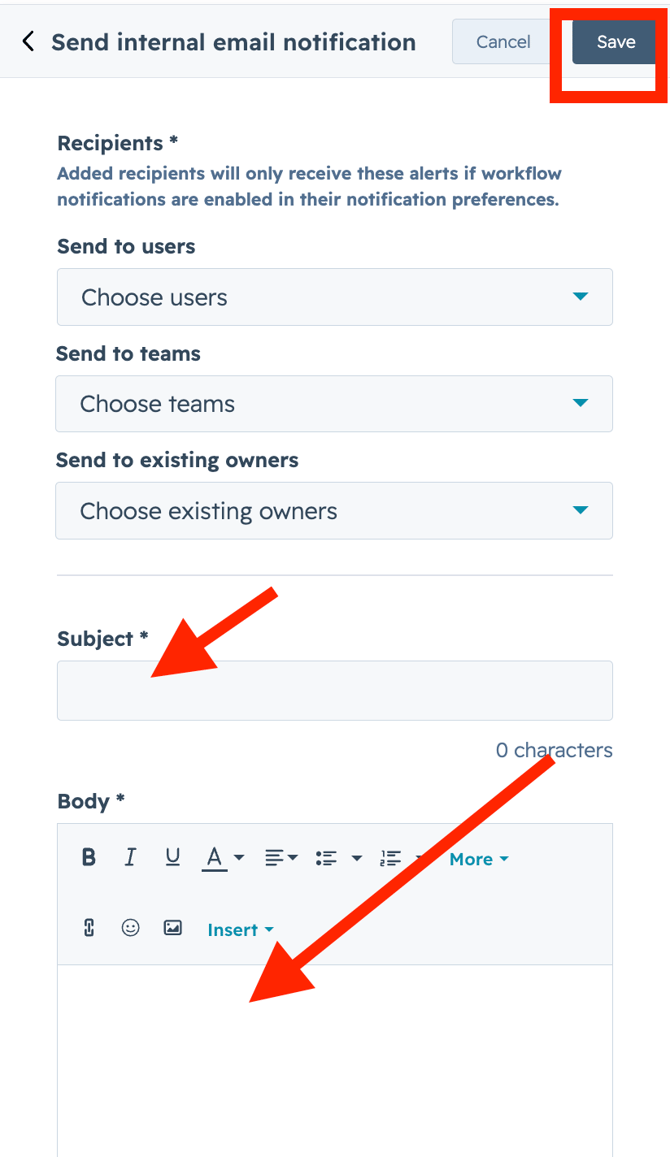
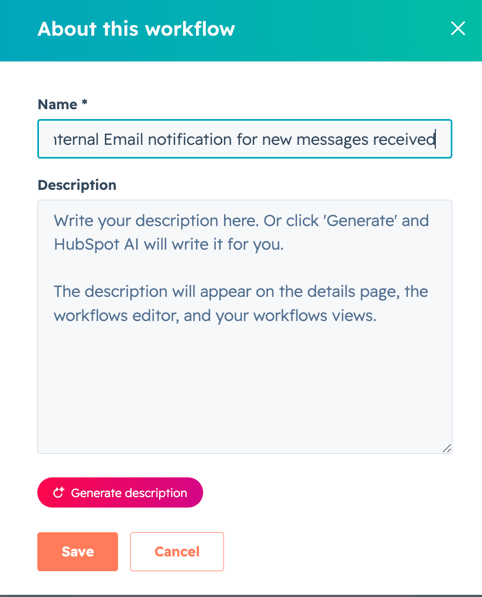
12. Click on small pencil icon on the top center> Name the workflow> Save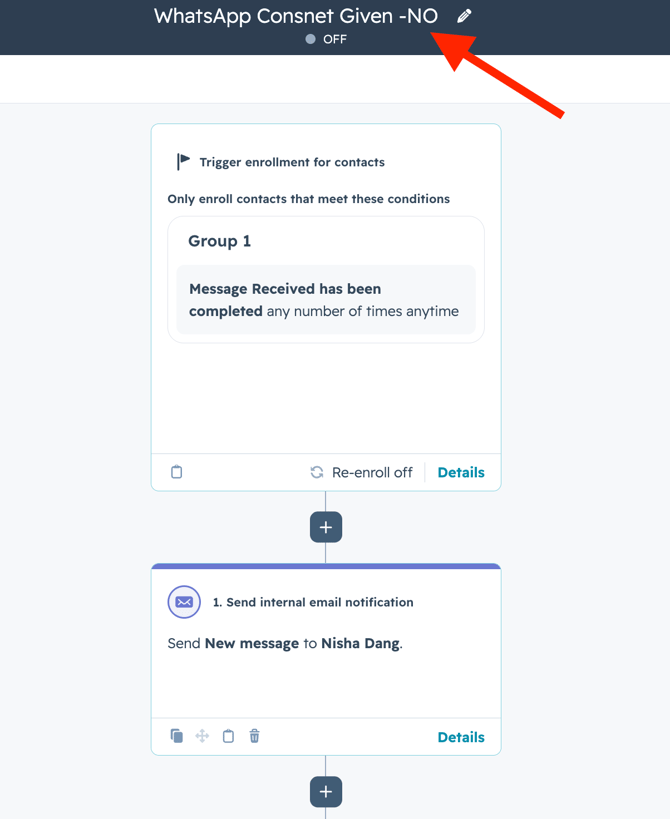
13. Click on Review and Turn on.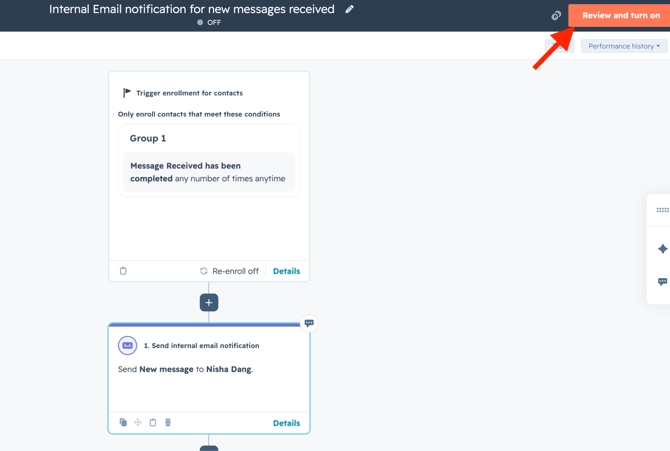
Get Started with Vira now!
Having troubles? File a Support Ticket or Book a call!
English