
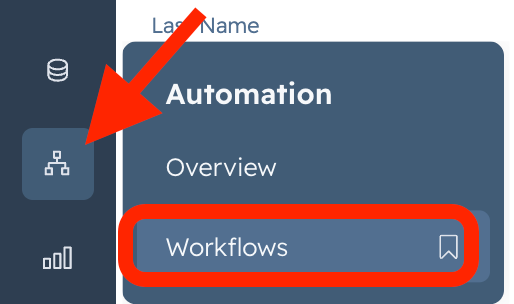
1. Go to HubSpot> Automations>Workflow
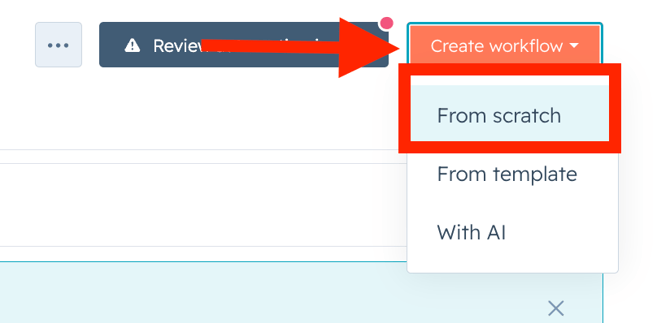
2. Click on Create Workflow> From Scratch
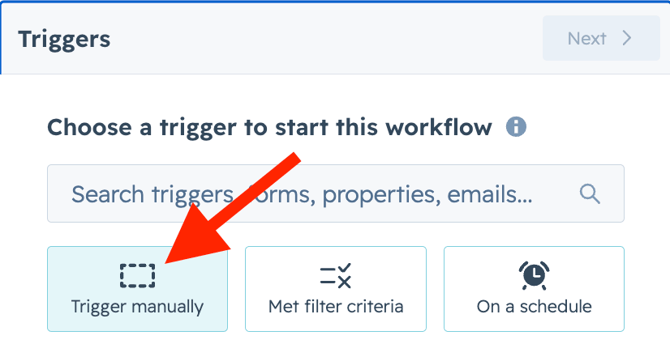
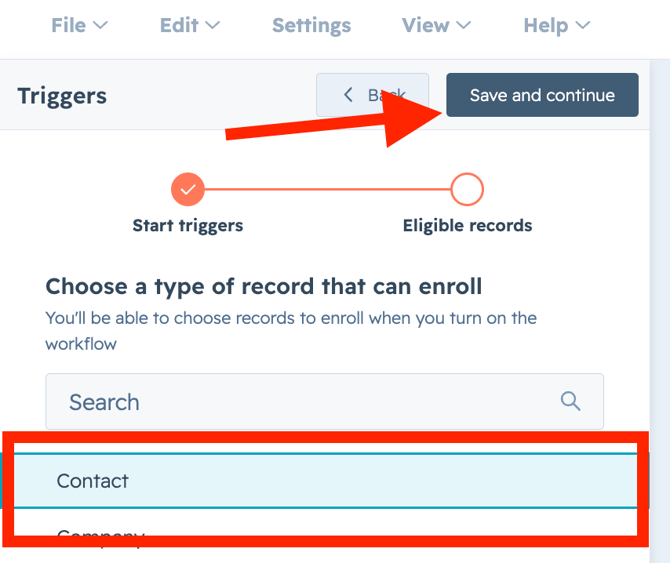
3. Click on Trigger Manually> Contact> Save and Continue
Get Started with Vira now!
Having troubles? File a Support Ticket or Book a call!
2. Click on Create Workflow> From Scratch
3. Click on Trigger Manually> Contact> Save and Continue
4. Click on Group 1 Manually trigger only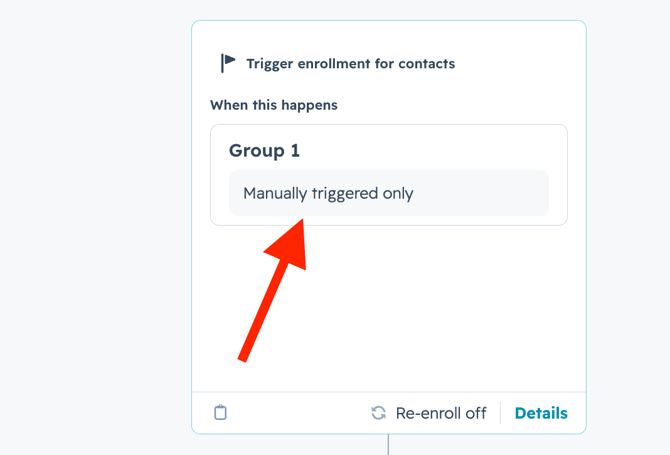
5. Click on When Filter criteria is met>Save.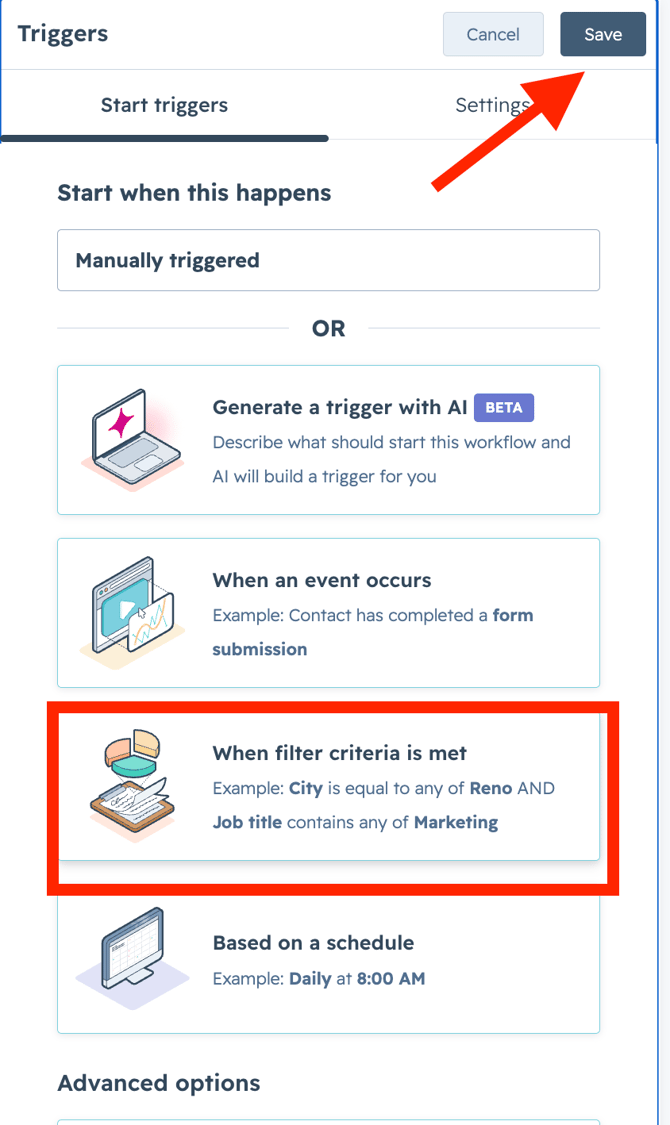
6. Click on Contact Properties> Create Date> Is Known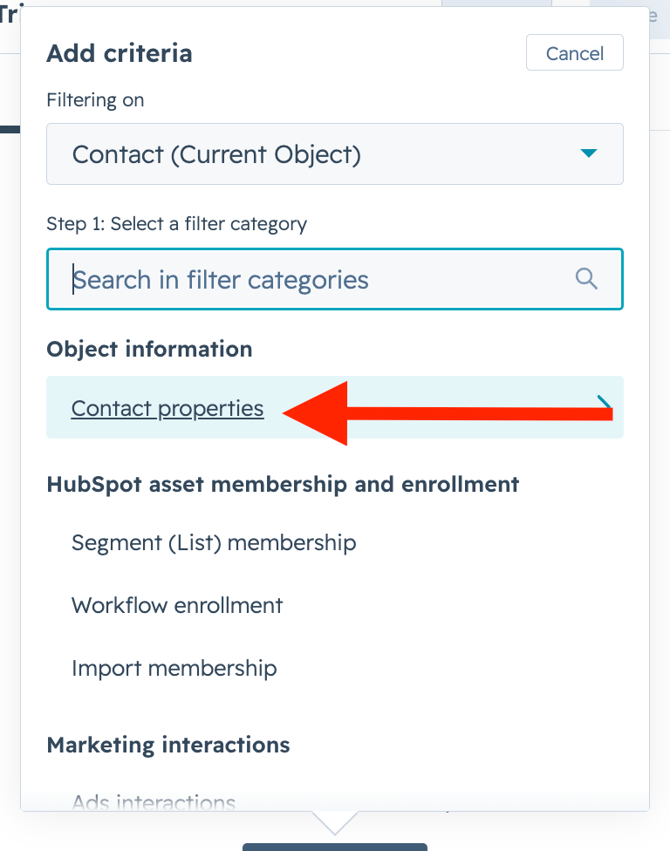
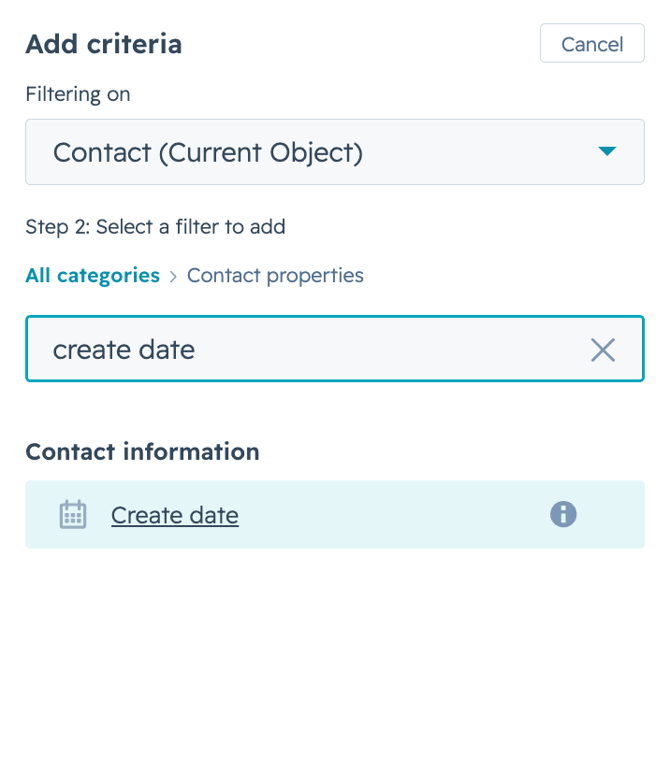
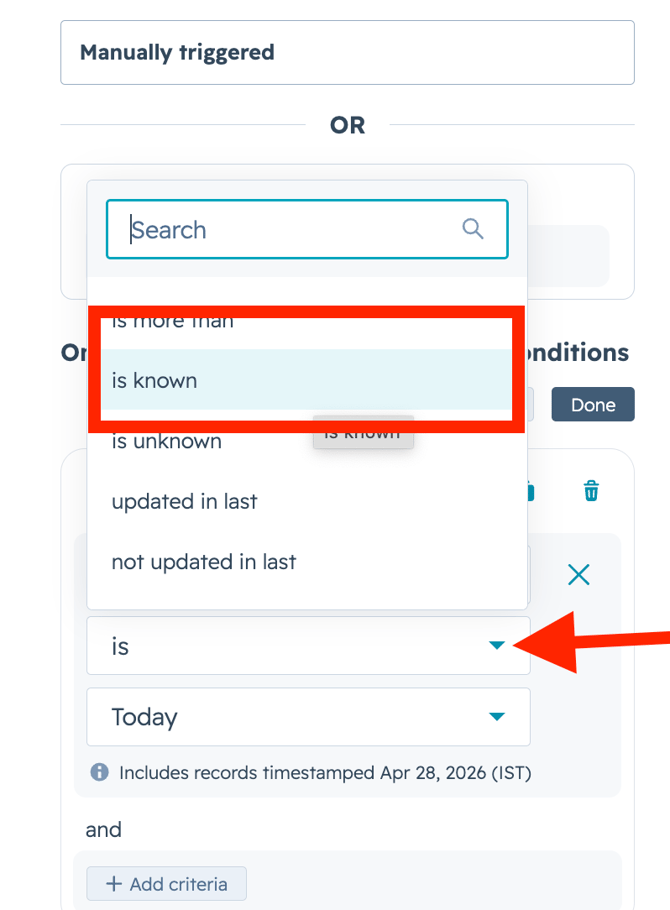
7. Click on Save
8. Click on +Icon> Go to CRM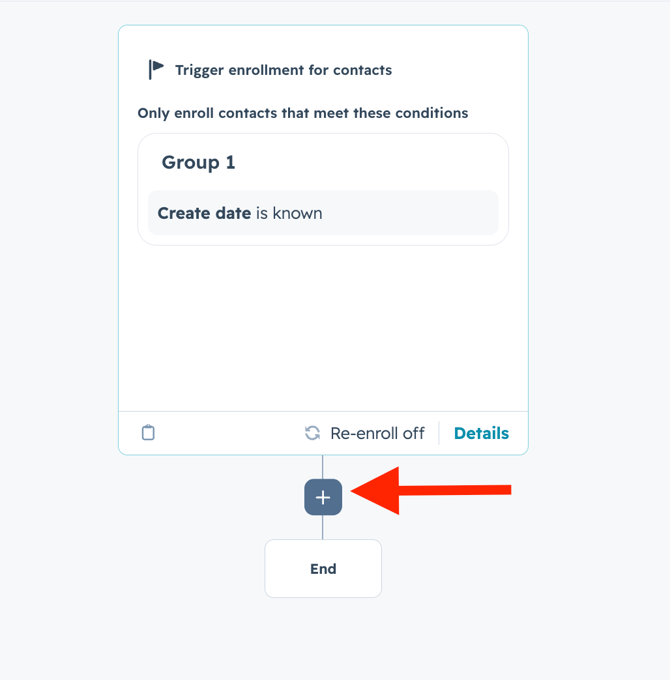
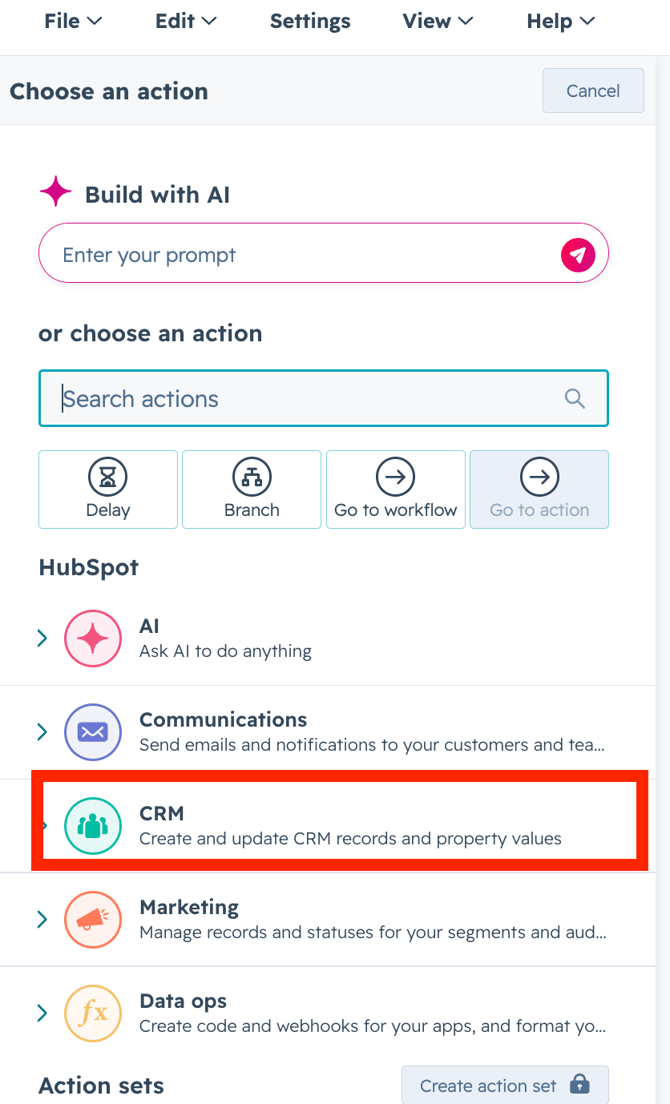
9. Click onEdit record>Choose property.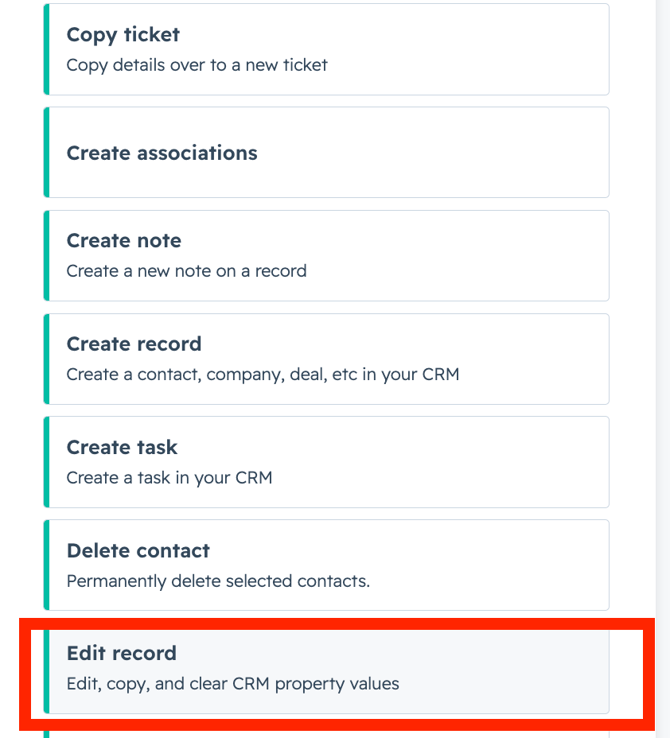
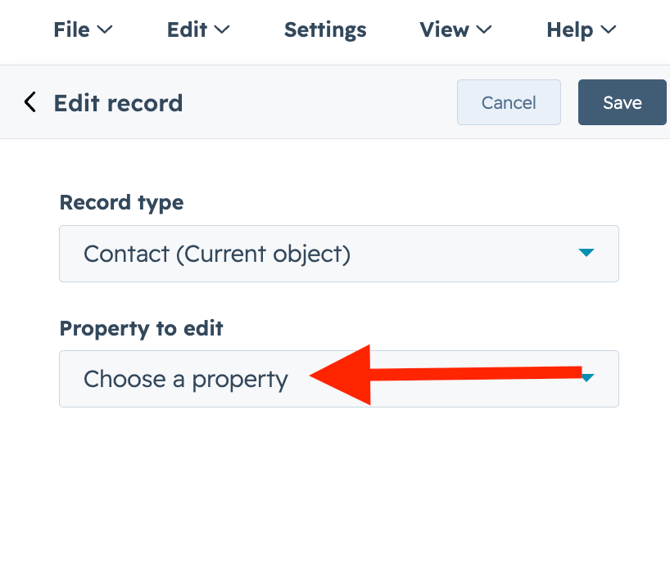
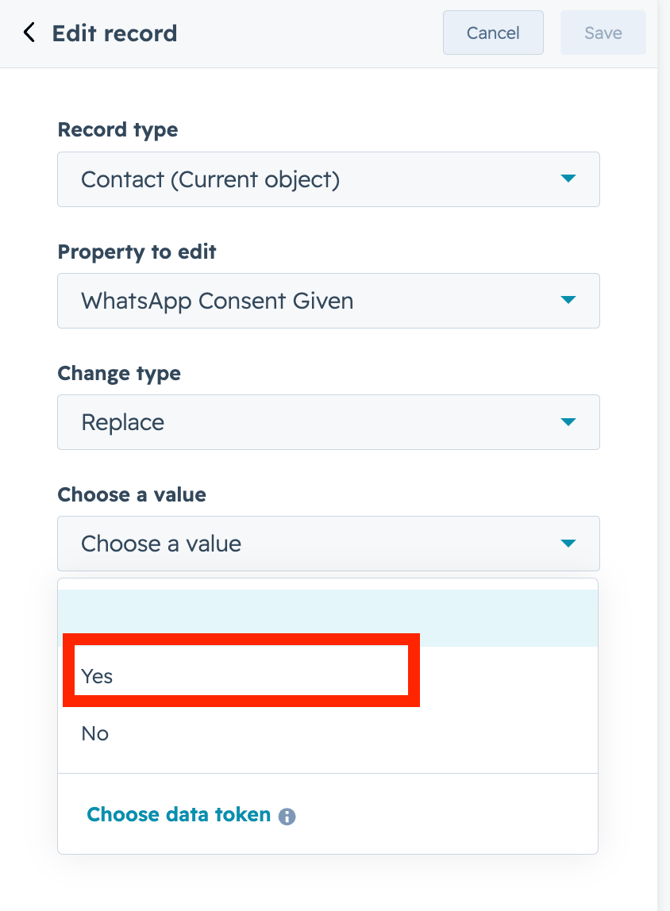
10. WHatsApp Consent Given> Choose a Value> Yes> Save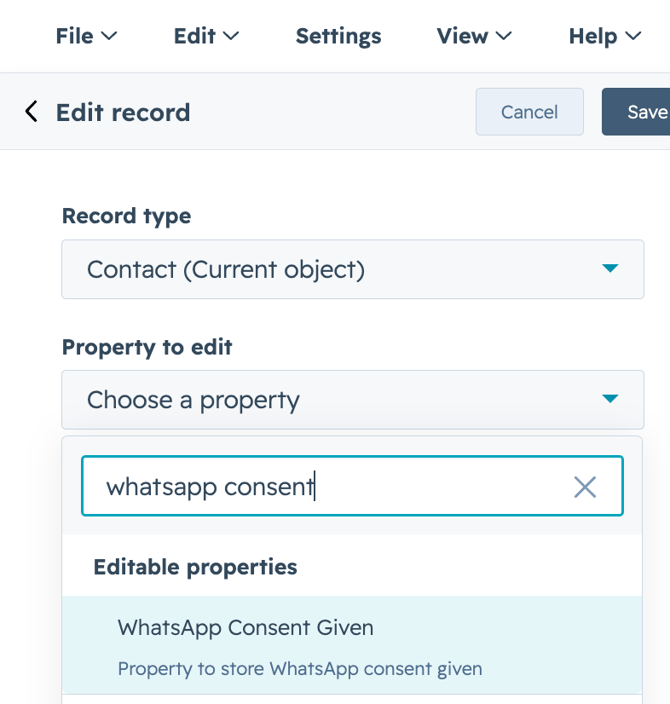
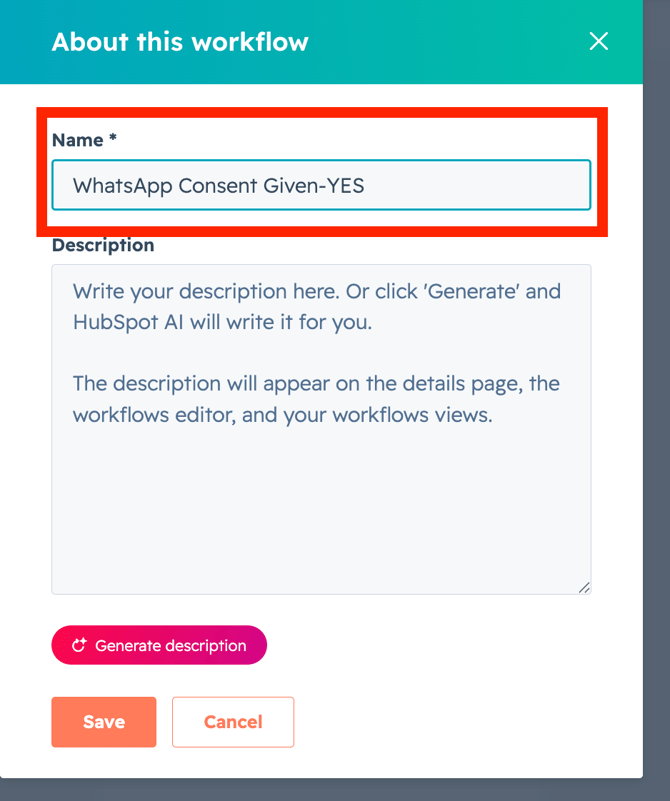
11. Click on small pencil icon on the top center> Name the workflow> Save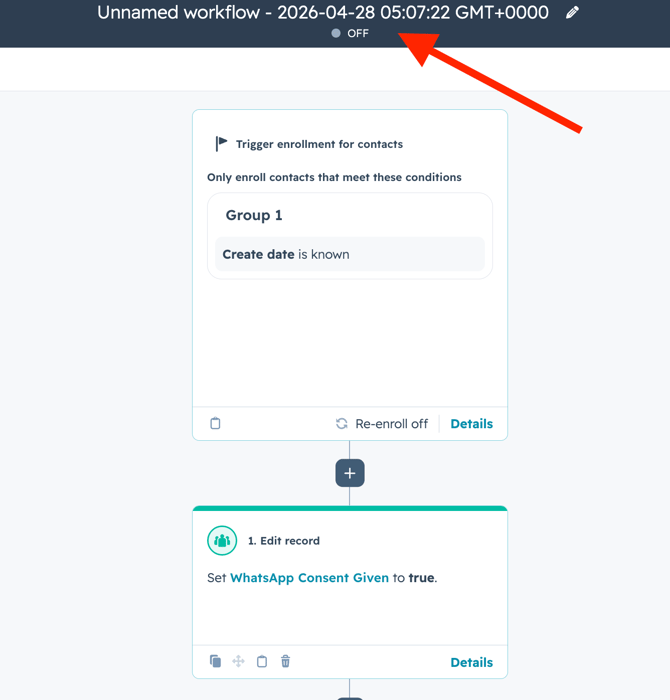
12. Click on Review and Turn on the workflow.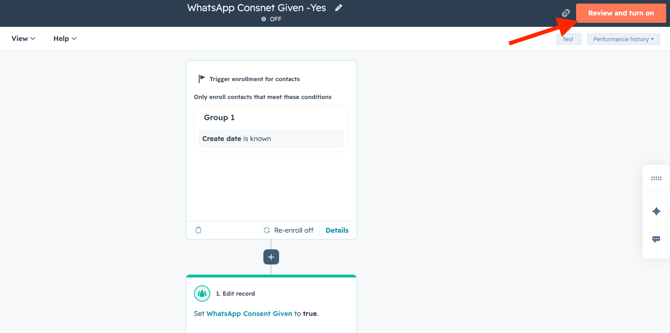
Get Started with Vira now!
Having troubles? File a Support Ticket or Book a call!