
Here's what's changed:
- The hamburger menu on the right is moving to a left-side navigation bar. All your existing options will be there.
- Account settings(Users & roles, support,etc) live under one place.
- New App Menu to discover more Niswey apps.
Everything you used before is still here just faster to reach.
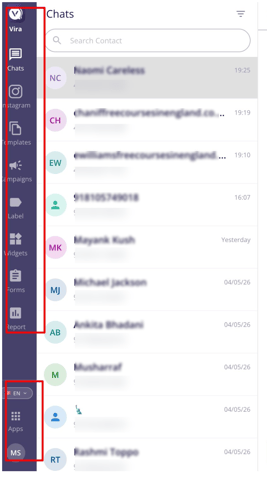
The Navigation bar on the left
All your everyday tools — Chats, Campaigns, Templates, Label, Report, Widgets, Forms — now sit together in a single menu down the left side of the screen. Click any item to jump straight in.
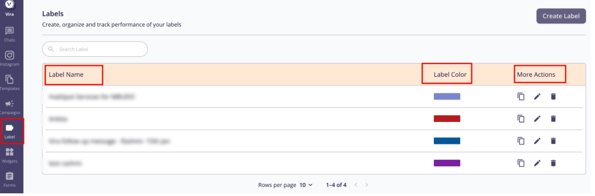
Labels — A separate section for managing labels in one place — create new ones, edit existing ones, and assign them across your team.A complete new tab for a better user experience .
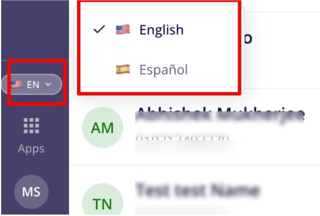
Switch your language
Prefer a different language? Click the language button next to your profile name initial and pick the one you want. Currently English and Spanish languages are supported.
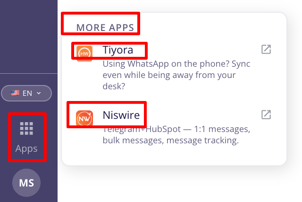
Discover more Niswey apps
Click the apps icon (the small grid near your profile picture) to explore the full Niswey product family — all in one place.
Coming soon: switch between your accounts from this menu.
Your account area
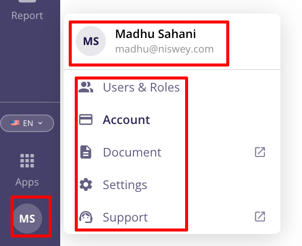
Click your profile/Initials at the bottom-left to open your account menu. Everything related to your team, role, and setting.
-
Users & Roles — Add teammates as users and manage permission for individual what each person can access.
-
Document - Carry the Knowledgebase Articles of Niswey Products.
-
Account — View information of your account like Hubspot Portal and phone number.
-
Settings — Update preferences and connected integrations.
-
Support — Reach our team whenever you need help.
Having troubles? File a Support Ticket or Book a call!