
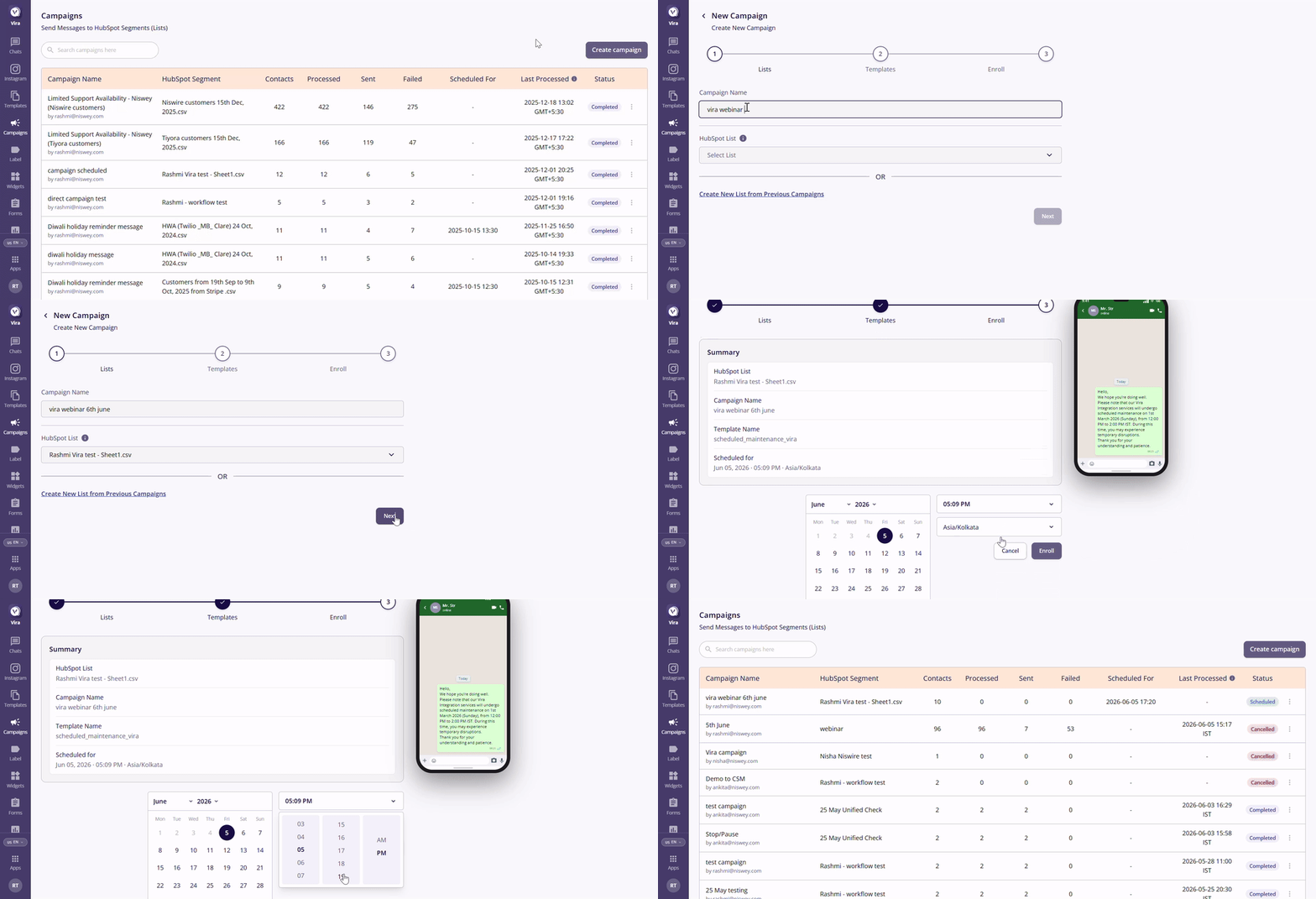
1. Updated Create Campaign Interface
The Create Campaign interface has been redesigned to offer a smoother and more user-friendly campaign creation experience.
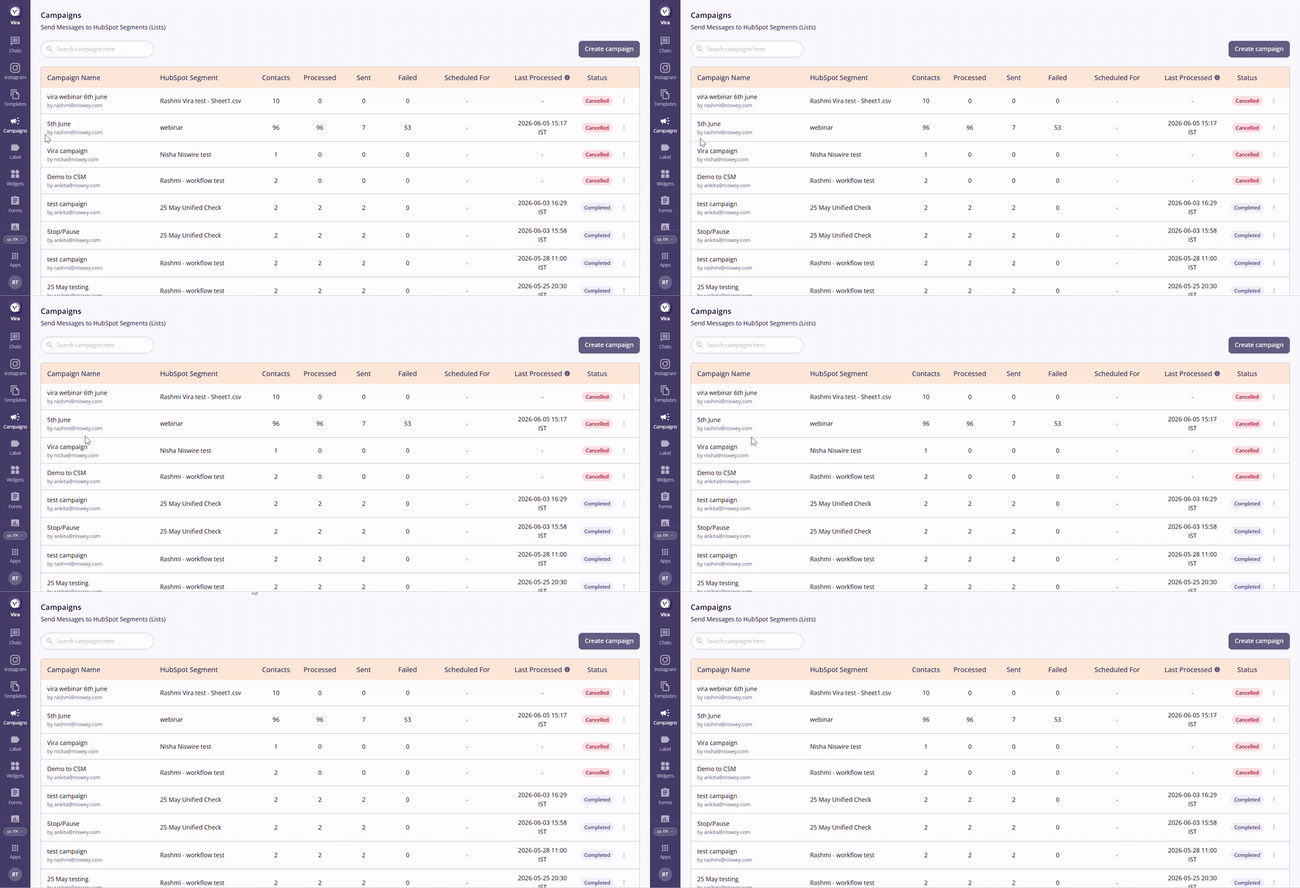
2. See Who Created a Campaign
You can now easily identify the user who created each campaign directly from the Campaigns page.
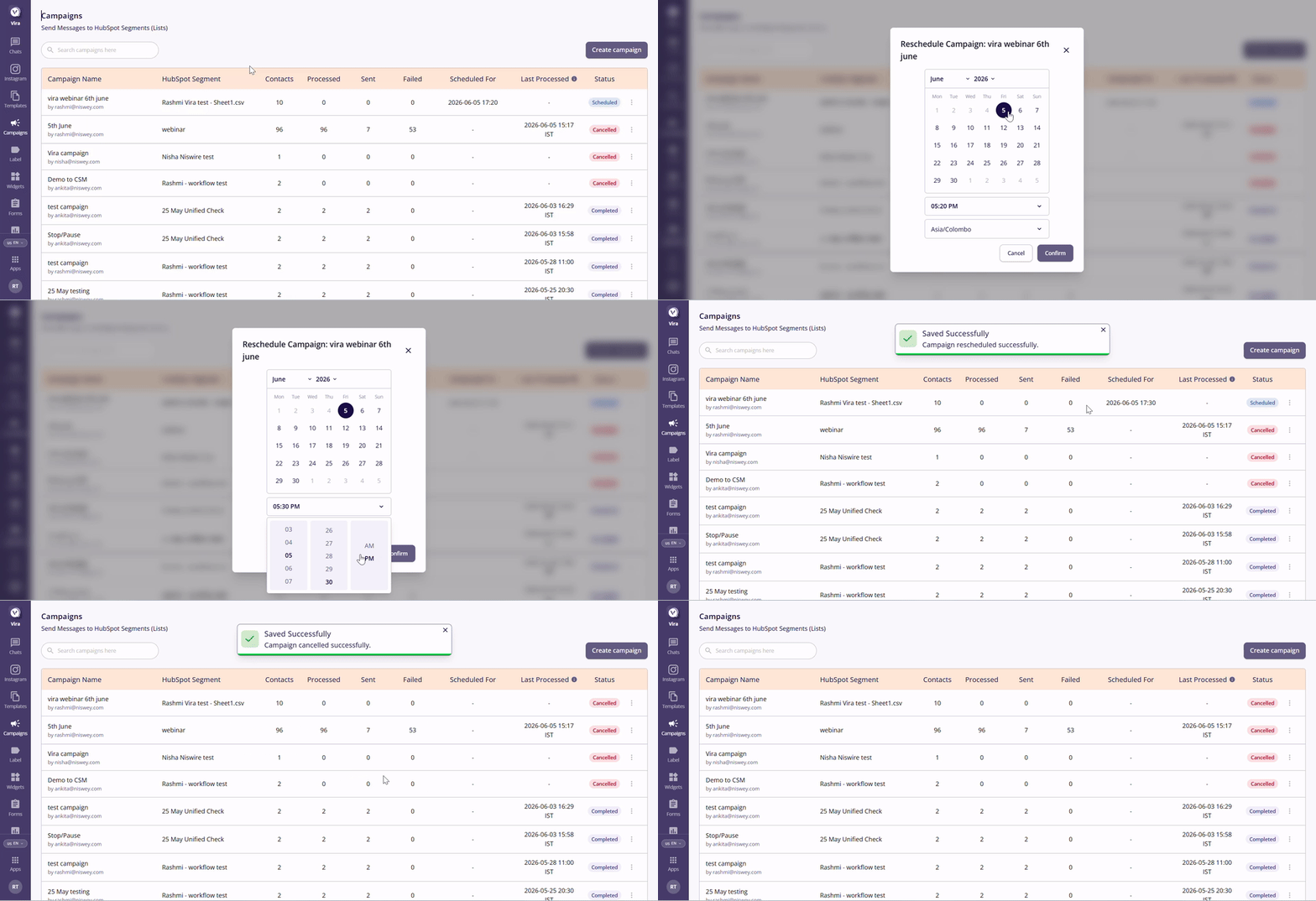
3. Reschedule a Scheduled Campaign
If a campaign is already scheduled and you'd like to change its send time, you no longer need to create a new one.
Simply:
- Find the scheduled campaign.
- Click the three-dot menu (⋮).
- Select Reschedule.
- Choose the new date and time.
4. Cancel a scheduled or running Campaign
You can now cancel a campaign directly from the Campaigns page:
- Locate the campaign.
- Click the three-dot menu (⋮) on the right-hand side.
- Select Cancel Campaign.
5. Improved Campaign Status Tracking
Campaign statuses are now more visible, allowing you to quickly understand the current state of your campaigns.
Available statuses include:
- Scheduled – The campaign is queued and ready to be sent.
- Completed – The campaign has finished processing.
- Cancelled – The campaign has been stopped before completion.
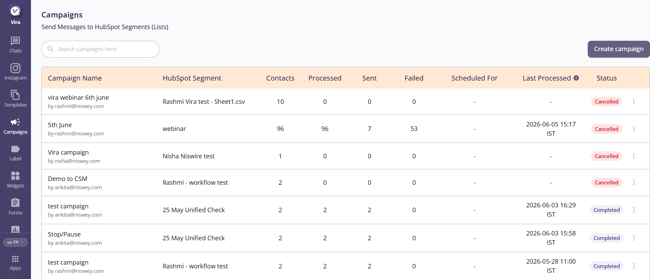
6. You can now view the Last Processed Date and Time, along with the associated timezone, for each campaign.
Having troubles? File a Support Ticket or Book a call!