
How it works
- Someone sees your Click -to-WhatsApp ad on Facebook or Instagram and send you a message on WhatsApp.
- Vira automatically tags that conversation with Source: CTWA on the contact timeline
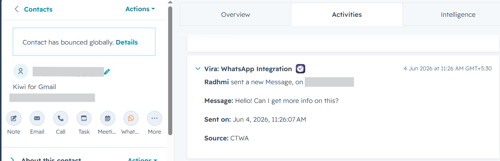
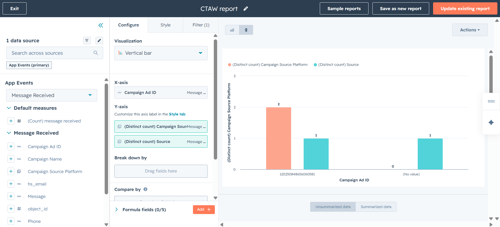
To Identify which contacts were created from a specific ad campaign you can create report in HubSpot:-
- Go to Data Management.
- Click Event Management.
- Select App Events.
- In the App search bar, search for Vira.
- Locate the Message Received event.
- Click Actions next to the event.
- Select Custom Report Builder.
- Click Edit on the report you want to update.
- Open the Contacts section.
- Add the following fields to your report:
- Campaign Ad ID
- Campaign Source
- Campaign Source Platform
-
Click Apply >Save the report.
Having troubles? File a Support Ticket or Book a call!